
Files and text
Crypt8 1.1.1
Encrypts a file or a short text on your computer. A file becomes a .gpg. Text becomes an OpenPGP message you can copy.
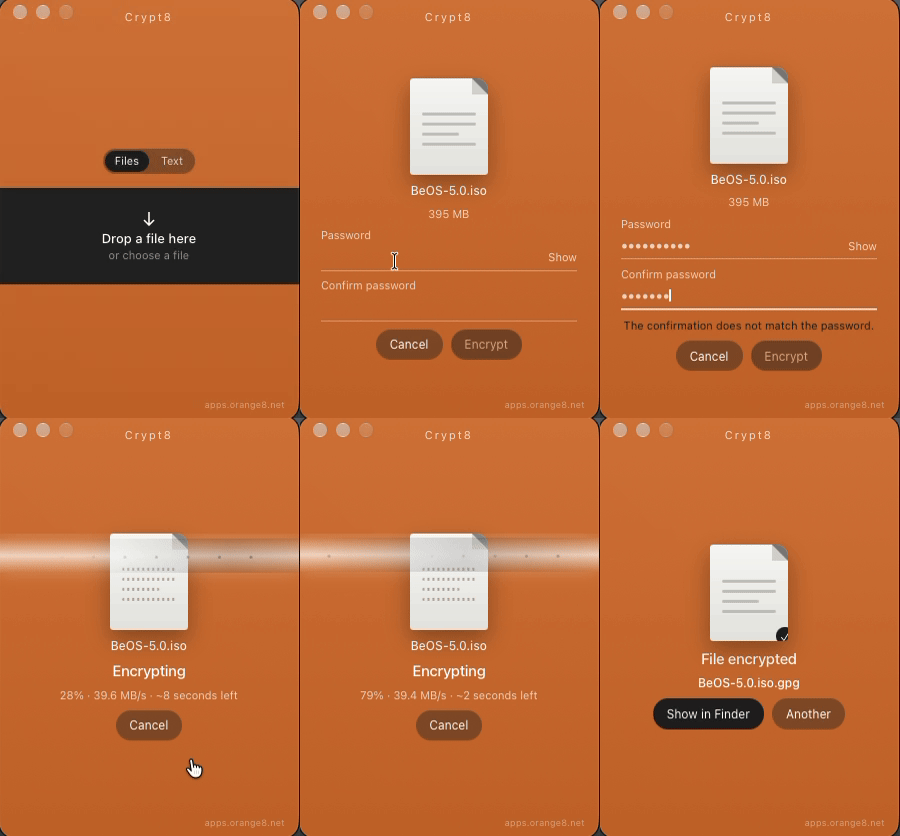
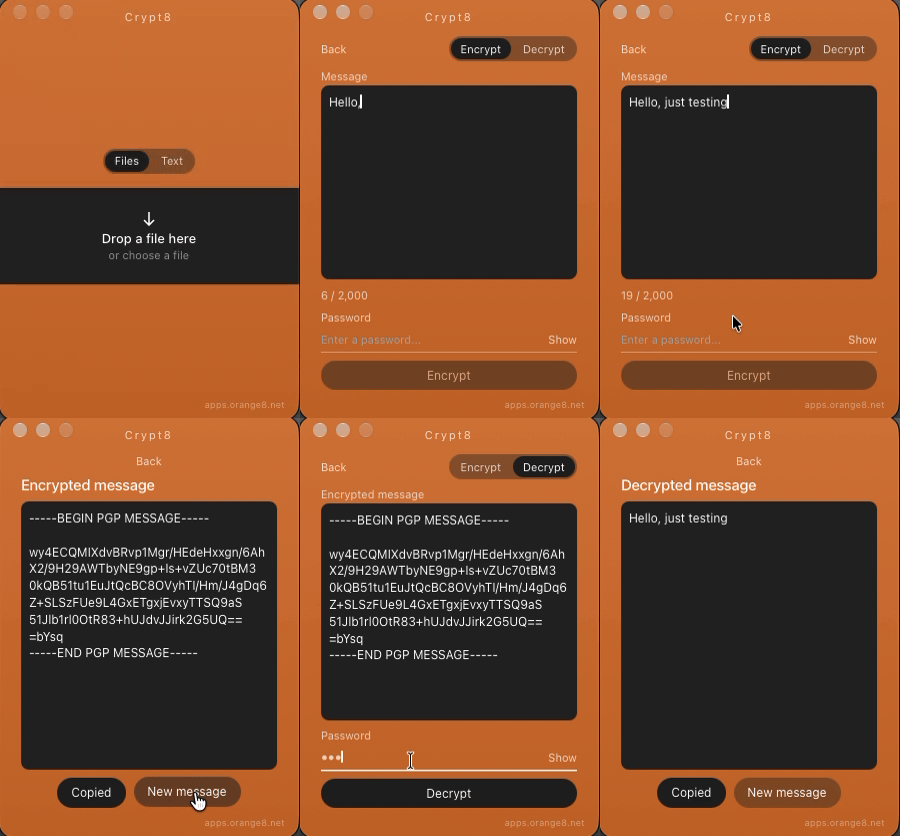
There is no account, no server, and nothing is uploaded. You pick a file, confirm a password, and get a .gpg next to the original, which stays untouched. Or you write up to 2,000 characters and copy an OpenPGP message into email, SMS, or WhatsApp. That text is not saved.
- macOS
- Windows
- Linux
How it works
-
A file or some text
Drop a file on the window, or choose Text and write the message. A folder or several items are packed into a TAR and only then encrypted.
-
Confirm the password
The password stays in the local process. It is not a process argument, a temp file, or browser storage.
-
Take the result
The .gpg sits next to the original. The message is ready to copy, from BEGIN to END. Open it later with the same password. Without the app, GnuPG can still read both.
Details
- Output
- OpenPGP, AES-256. A file is binary; text is ASCII armor. GnuPG reads both
- Where it runs
- On the computer where you open the app
- Message
- Up to 2,000 characters. The text is not saved
- Systems
- macOS (Apple Silicon and Intel), Windows (x64 and ARM), Linux (x64 and ARM)
- Language
- Follows the system: Portuguese, English, Spanish, German, French, Japanese, and Chinese
- License
- GPL-3.0, open source
A wrong password does not reveal the file or the message. A forgotten password cannot be recovered.
macOS builds published from GitHub are not notarized. The first launch may ask you to allow the app in Privacy & Security.